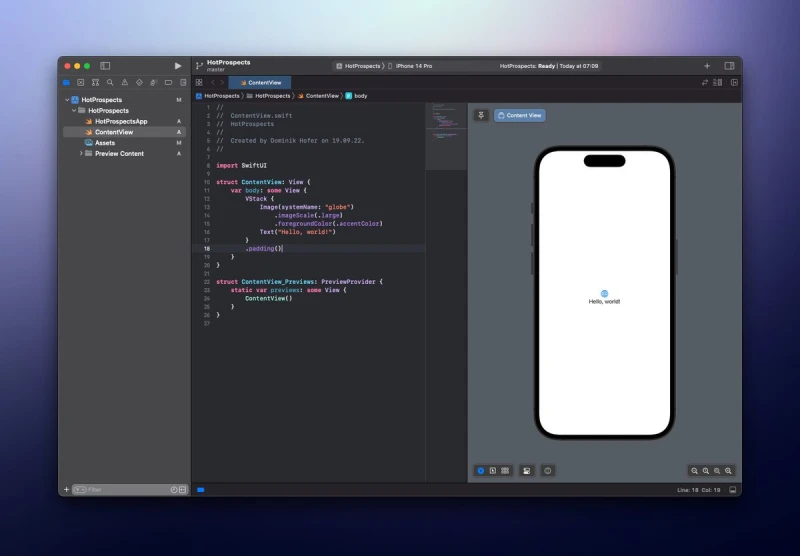

Quick lil #Xcode tip:
Hit enter on autocompleted closures to enter into trailing closure mode quickly ๐
Quick lil #Xcode tip:
Hit enter on autocompleted closures to enter into trailing closure mode quickly ๐
Day 70 #100DaysOfSwiftUI
โ Built the BucketList project (part I)
๐ takeaways:
๐ Add example data to types
๐ You can use optional variables to toggle sheets
๐ Set default state values with initializer and _variableName
Really like working with maps so far!
Show thread (2 posts)
One side benefit of learning Swift is that I FINALLY understand, why people love Typescript.
Took quite a while ๐
Day 69 #100DaysOfSwiftUI
โ Further intro to the BucketList project
๐ takeaways:
๐ MapKit integrates natively into SwiftUI (and is quite pleasant to use)
๐ You can add FaceID pretty easily as well (needs permission)
Was surprised that this didn't need some UIKit-hacks ๐ฎโ๐จ
Today, I'm taking a break from #100DaysOfSwiftUI
But I wanted to share one of the best iOS-related YouTube channels out there: The one by @StewartLynch
Really nice teaching-style, already learned a lot!
Day 68 #100DaysOfSwiftUI
โ Overview of the BucketList project
๐ takeaways:
๐ If structs confirm to comparable protocol, they are sorteable
๐ You can save data directly to the documents directory
๐ Use enums to show different states of UI
Day 67 #100DaysOfSwiftUI
โ Added some additional features on my own
Explored some more CIFilter options, there are surprisingly many!
Also learned that you can just disable views by checking if an optional is empty.
Yesterday, instead of completing the next day of #100DaysOfSwiftUI, I did something even more exciting.
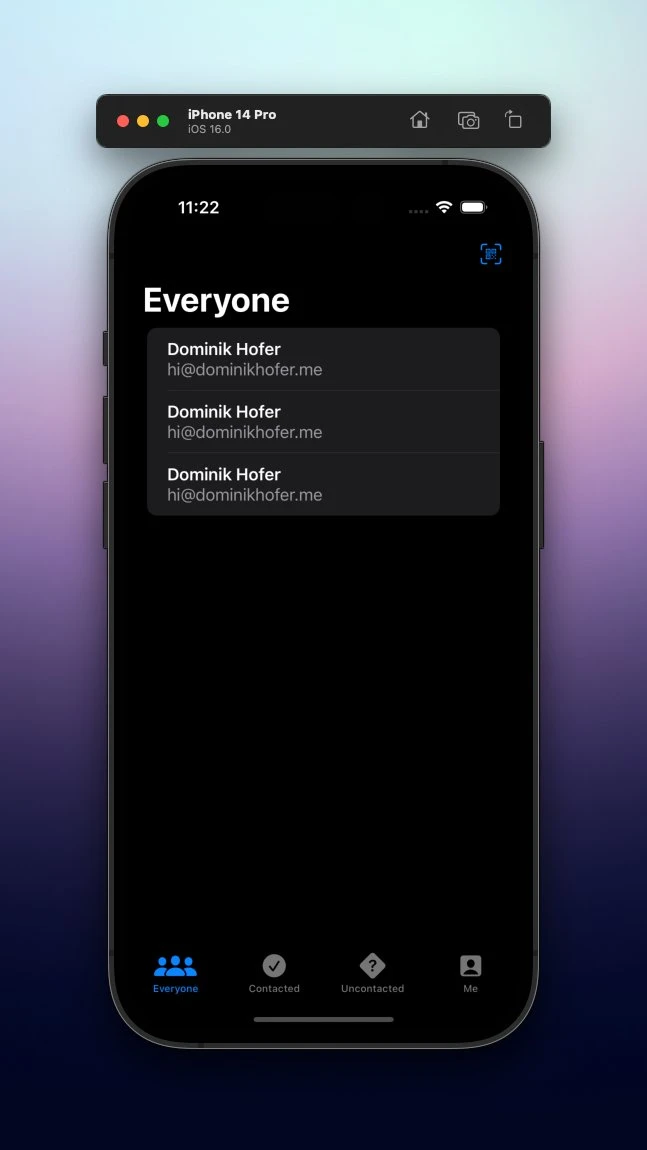
I created my own lil app, a minimal Tichu counter ๐
Pretty simple right now but if anyone wants to try it out, let me know :)
Uno #008
School has started and you're looking for a suitable notetaking app for students?
@rem_note is all you'll ever wish for: Easy to use interface based on nested bullet points and even better: The ability to easily create flashcards right from your notes to practice.
Show thread (2 posts)
Day 66 #100DaysOfSwiftUI
โ Built the Instafilter project (part II)
Two things that bug me right now is that the gray background can be bigger than the image itself and that there is no success message (maybe these are going to be tomorrow's challenges ๐ค).
Day 65 #100DaysOfSwiftUI
โ Built the Instafilter project (part I)
๐ takeaways:
๐ You can place optional views in UI
This day was a real blessing compared to yesterday ๐
But it's great to see how fast I can already build UIs by now!
Day 64 #100DaysOfSwiftUI
โ Final introduction to the Instafilter project
๐ takeaways:
๐ Use coordinator to create delegates (bridge to SwiftUI), which is pretty complicated
๐ Edit info of target for certain operations
๐ Saving an image also requires UIKit
Day 63 #100DaysOfSwiftUI
โ Further introduction to the Instafilter project
๐ takeaways:
๐ CoreImage is the image manipulation framework (quite hard to get it to work though)
๐ You have to use UIKit sometimes inside of SwiftUI, which is possible (e.g. the photo picker)
So true, I feel like getting distracted can also be a very good way to get inspired.
Both extremes are not healthy: Productivity obsession vs. always being distracted. https://xcancel.com/linuz90/status/1562379235020656642
Day 62 #100DaysOfSwiftUI
โ Overview of the Instafilter project
๐ takeaways:
๐ .onChange() is the best way to react to state changes
๐ .confirmationDialog() is an alert with multiple buttons
Funny that I've only learned about .onChange() yesterday ๐ค
Day 61 #100DaysOfSwiftUI
โ Added CoreData to the personal CRM app
Took me two days to implement the CoreData functionality, but it was so worth it โ I learned a ton!
Here are the most noteworthy things ๐
Show thread (5 posts)
Didn't finish today's challenge for #100DaysOfSwiftUI, was way harder than I thought so far.
Will continue tomorrow โ๏ธ
Day 60 #100DaysOfSwiftUI
โ Created a personal CRM app
This app was not that hard UI-wise, but quite a challenge to get all the data stuff correctly.
Definitely not perfect, but solid I think :)
Read on for a few behind the scenes ๐
Show thread (6 posts)
Day 59 #100DaysOfSwiftUI
โ Deep dive into CoreData (part III)
Extended the FilteredListView a bit and made it more versatile.
I especially liked the use of enums to ensure that only valid predicates are entered.
Below is my code, if anyone is interested ๐ค
Day 58 #100DaysOfSwiftUI
โ Deep dive into CoreData (part II)
๐ takeaways:
๐ Use NSPredicate to filter query
๐ Make FetchRequests in subview (with SQL-like syntax)
๐ CoreData relationships
These were some fun but also complex topics today, was great :)
Day 57 #100DaysOfSwiftUI
โ Deep dive into CoreData (part I)
๐ takeaways:
๐ .self refers to the whole object โ computes hash value
๐ Create a NSManagedObject subclass to handle optionality in one central place
๐ Check if changes were made to the moc
๐ NSMergePolicy
Day 56 #100DaysOfSwiftUI
โ Added some additional features on my own
This challenge wasn't that hard, but I got to reuse some concepts from previous lessons. Especially working with dates and unwrapping optionals with if let.
Day 55 #100DaysOfSwiftUI
โ Built the Bookworm project (part II)
๐ takeaways:
๐ Sort data in FetchRequest with a SortDescriptor
๐ Place ToolbarItems in different locations
๐ You can also use dismiss to go back to the last screen
Want to learn SwiftUI the visual way โ for free?
I just stumbled upon this great resource by @BigMtnStudio. ๐ฏ% worth downloading!
Uno #007
Are you a student or someone who struggles to focus for a long time? Then you should definitely try a pomodoro timer!
The best app I found for this is @stayinsession by @philipyoungg.
Great design, great UX โ really love all the thoughtful details.
Show thread (2 posts)
Day 54 #100DaysOfSwiftUI
โ Built the Bookworm project (part I)
๐ takeaways:
๐ Use constant bindings in previews
๐ Must use nil coalescing when displaying data from CoreData
Really like the rating view with the stars, my first proper reusable component!
Day 53 #100DaysOfSwiftUI
โ Overview of the Bookworm project
๐ takeaways:
๐ @ Binding for changing values in other views
๐ TextEditor for multiline text fields
๐ Intro to CoreData
I feel like with some CoreData skills, I'll finally be able to create my own real apps ๐ฅณ
Show thread (2 posts)
Day 52 #100DaysOfSwiftUI
โ Added some additional features on my own
Like in the Moonshot project, I mainly got to refactor some of the code.
And I learned how valuable it is to create a โwrapper classโ, which is much easier to make conform to the Codable protocol:
Things I โค๏ธ about building apps for ๏ฃฟ: The lil details that work automagically.
E.g. the stepper component allows you to long-press a button to change the variable faster. After five iterations, the counter increases in speed.
Awesome!
Day 51 #100DaysOfSwiftUI
โ Built the Cupcake Corner project (part II)
๐ takeaways:
๐ You can create multiple class initialisers
๐ Codable, URLRequest and URLSession are a powerful combo
๐ Place async function call in button inside Task
๐ ! for force unwrapping
Great quote from todays lesson in #100DaysOfSwiftUI from @twostraws.
This is exactly the kind of design I'll try to implement in my apps.
Day 50 #100DaysOfSwiftUI
โ Built the Cupcake Corner project (part I)
๐ takeaways:
๐ Save data like types as static arrays in class
๐ Use indices property to get the indices of array
๐ Toggle view
๐ Put validations in data not view (computed property)
Day 49 #100DaysOfSwiftUI
โ Overview of the CupcakeCorner project
๐ takeaways:
๐ Codable doesnโt work with @ Published, create custom initializer & encoder
๐ async/await and .task for loading data
๐ AsyncImage for loading images
๐ Validate & disable forms with .disabled()
Day 48 #100DaysOfSwiftUI
โ Break day
Nearly 50% done with the course and today was the first day I didn't actually write any code. But I've watched two great videos instead.
If you have any spare time today and are (becoming) a coder, watch this video by @stevewoz ๐
Show thread (2 posts)
By the way, I uploaded all my #100DaysOfSwiftUI code to GitHub.
So if you need some help with a challenge or just want to know, how someone else solved it, feel free to take a look!
Will regularly update it.
(Thanks for the idea @rungxanh1995)
Day 47 #100DaysOfSwiftUI
โ Created the simplest habit tracker ever
This was the first app that I completely built by myself that is actually useful. Impressive, I know ๐
Will probably add a few features if I have time the coming days.
Read on for a few behind the scenes ๐
Show thread (7 posts)
Uno #006
Tracking expenses is the best way to gain an overview over your finances. But doing it regularly can be tedious.
The solution โ an app like @FiveCentsApp by @degisner. It's simple, beautiful and works like a charm.
Entering expenses is as quick as it can get.
Show thread (2 posts)
Day 46 #100DaysOfSwiftUI
โ Made my own custom shapes
Doesn't look that beautiful but was a great way to repeat some of the learnings from this section.
Now looking forward to the next bigger challenge tomorrow (already had a look ๐คซ).
Exactly what I needed ๐ค https://xcancel.com/FloWritesCode/status/1554692285052354560
Day 45 #100DaysOfSwiftUI
โ Animating shapes
๐ takeaways:
๐ .blendMode()
๐ Animate shape changes with animatableData
๐ For multiple props, use AnimatablePair
๐ Only Doubles can be interpolated (not Ints)
Made something even cooler today than yesterday!
Day 44 #100DaysOfSwiftUI
โ Drawing more advanced shapes
๐ takeaways:
๐ Use stride to create a custom range
๐ CGAffineTransform
๐ FillStyle(eoFill: true) for even-odd filling
๐ Image border with ImagePaint()
๐ Enable Metal with .drawingGroup()
Wanna see something cool?
Want to learn more about designing for iOS?
@designcodeio has a handy guide to follow. Much better consumable than the HIG.
https://designcode.io/ios-design-handbook-intro-to-ios-14-design
Day 43 #100DaysOfSwiftUI
โ Drawing simple shapes
๐ takeaways:
๐ Use Path type to draw shapes
๐ Shapes are built using paths, but more flexible
๐ .strokeBorder() draws on the inside (use InsettableShape protocol)
Here's a struct that draws an arc (great for charts) ๐
Day 42 #100DaysOfSwiftUI
โ Added some additional features on my own
This challenge consisted mostly on refactoring. Got some practice in extracting SwiftUI views and passing data down the tree.
Also learned how to style a list background:
https://xcancel.com/dominikhofer_/status/1554857330382192643
Found a handy tool to compress gifs ๐ https://ezgif.com/optimize
Quick SwiftUI tip:
I struggled to figure out how to change the background of a list in SwiftUI.
Turns out, you need to use the .onAppear modifier ๐
Show thread (3 posts)